AI shipped product

Making AI design feedback easier to inspect and act on.

Working as a solo designer left me wanting another design perspective. I turned a screenshot-review skill into CRIT: a web app with visual findings and saved reviews. I later extended it into a private AI-workspace integration, keeping the evidence visible where implementation happens.

CRIT

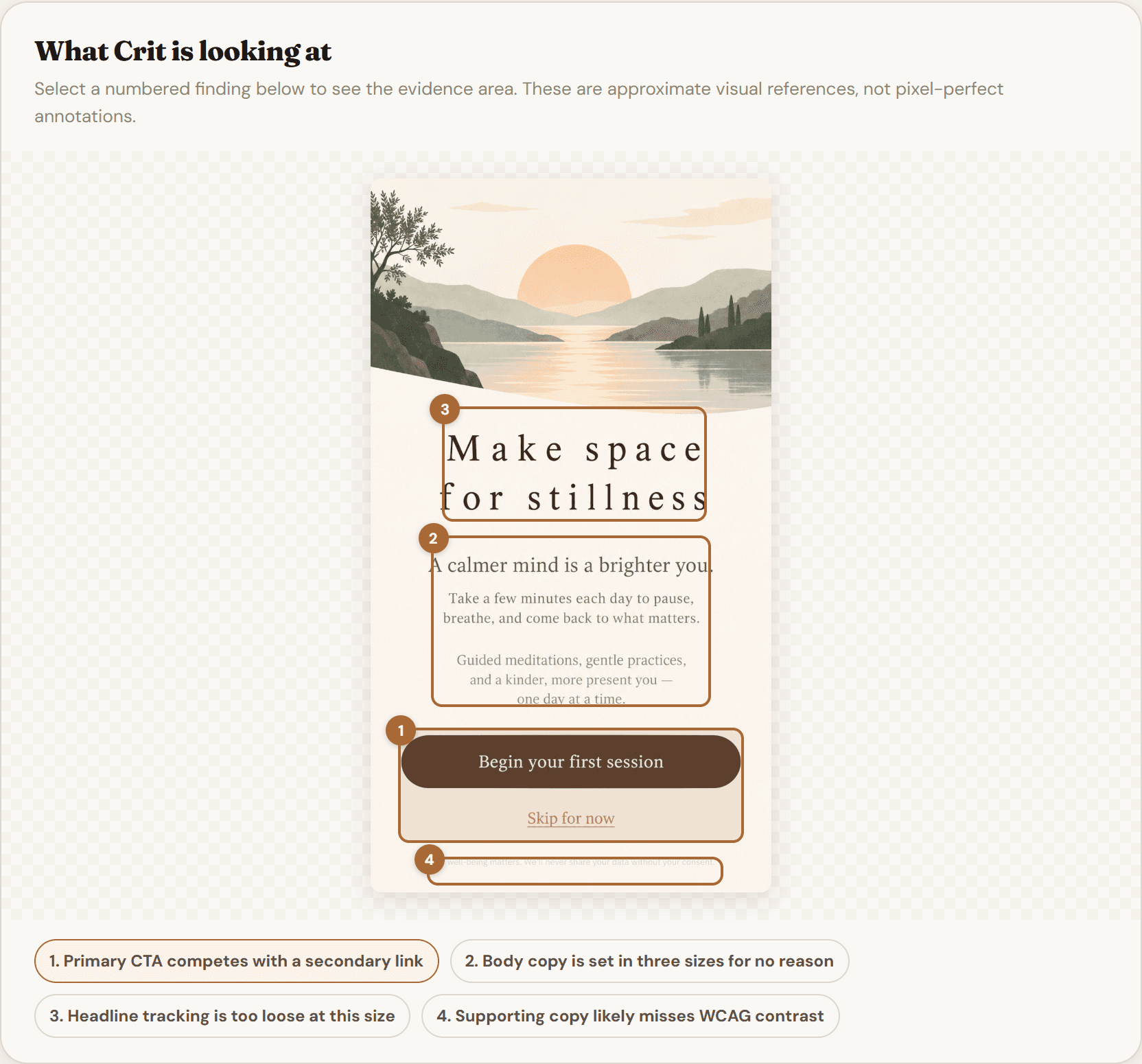
CRIT's live example critique, with numbered findings linked to areas of an example mobile design.

Live app · Built-in example critique

3 weeks
Original web app: concept to shipped
Saved reviews
Accounts and review history shipped
Private MCP
Embedded viewer verified in ChatGPT

The problem

The skill gave me feedback. I needed a place to keep it.

Useful reviews became hard to find among unrelated chat conversations. I wanted a record I could return to.

I began exploring AI in 2025, using the screenshot-review skill on older work, including DriveMy. That gave me real designs to test it on.

I owned the product decisions, design, prompts, and AI-assisted build of a dedicated app with saved reviews and history.

Key decisions

Three decisions that made the feedback more useful.

Put designers’ own work ahead of practice challenges

I expected practice challenges to encourage repeat visits. Microsoft Clarity showed little interaction, while designers in my network mostly uploaded their own work.

I moved challenges lower in the hierarchy and made reviewing existing designs the primary task.

CRIT home screen with a design upload area and a weekly design challenge.
Live app · Design upload and weekly challenge

Connect each finding to the screen

Early feedback described issues, but designers still had to search the screenshot to locate them.

I linked numbered findings to highlighted regions. Selecting a finding reveals its approximate location, so designers can check the recommendation against the screen.

The built-in CRIT example shows numbered findings and visual evidence on a mobile design.
Built-in example · Findings linked to the design

Give every finding a consistent structure

Every finding needed severity, a principle, visible evidence, and a recommended fix.

I requested structured responses, validated the data, constrained scores, and supplied defaults for missing values. Consistent cards made serious issues easier to find without making the advice automatically correct.

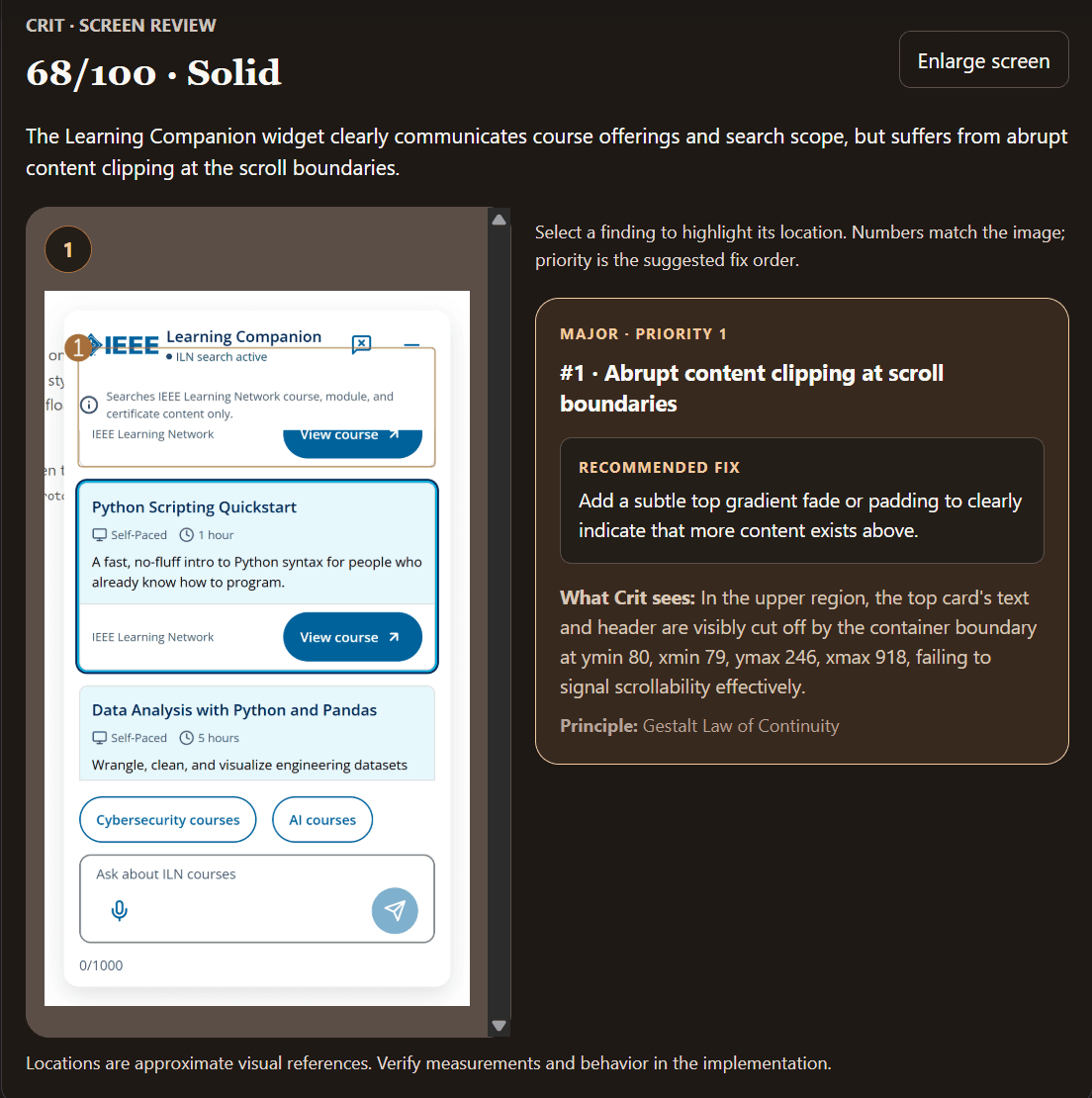
CRIT's built-in example shows its directional score and a critical issue with a recommended fix, design evidence, and supporting UX principle.
Built-in example · Score and recommended fix

Shipped app

Save the review. Return to the work.

Accounts and review history shipped, letting designers return to earlier submissions and feedback.

Scores are AI-generated signals for reflection, not objective measures of design ability.

  1. Bring a design

    Upload a screenshot of real work.

  2. Inspect the findings

    Compare the evidence, principle, and recommended fix with the screen.

  3. Return later

    Use saved reviews and history to revisit the feedback.

Later extension · Private integration

Bring visual critique into the AI design-to-code workflow.

Using a separate review app meant leaving the AI workspace and carrying findings back manually. I extended CRIT through MCP, a standard for assistants to call external tools.

The assistant brings project context; CRIT adds a visual second pass grounded in the screenshot.

Structured results worked for the coding agent, but text summaries lost the visual connection for the person reviewing them. I built an embedded viewer with annotations beside the findings, keeping issue numbers consistent and fix priority separate.

Selecting a card highlights its region and supplies context for the assistant’s next action; it does not automatically change code. Full-card selection preserves keyboard activation and text copying.

Testing improved coordinate conversion and card hierarchy. I also removed a minimum finding count that could encourage weak issues. Annotations remain model estimates, with some alignment cases still needing refinement.

Early evidence

Shipped capability, qualitative feedback, and clear limits.

Returning testers said the feedback was easier to understand and showed where to improve. Some planned to use CRIT on independent or company projects: encouraging qualitative feedback, not evidence of sustained adoption.

User growth also followed LinkedIn and X promotion, so I would not attribute it entirely to design changes.

The private integration passed 17 tests covering authentication, annotation handling, and viewer selection. Its structured workflow was tested in Codex and its embedded viewer verified in ChatGPT. These checks validate integration behavior, not every critique.

It is a working private integration, not a public marketplace launch; other compatible clients have not all been tested. The authenticated MCP wrapper reuses the review service without persisting screenshots. Saved history belongs to the web app.

Takeaway

Let observed use set priorities. Keep AI feedback open to question.

Observed use changed CRIT’s priorities; the MCP extension showed why visual evidence needed to travel with the feedback. The designer still makes the final call.

Next time, I would interview designers during ideation about how they get feedback and where the process breaks down, before committing to the interface or prompts.